Yes, you can create a podcast from notes in a few minutes using AI: paste or upload your notes, choose a pedagogical style and voice setup, then generate and download the episode. Most tools finish rendering in 2 to 5 minutes, and you get either an MP3 or a shareable RSS link. The workflow is fast enough to build one before your next study block starts, following an effective AI workflow guide for PhD students.
TL;DR:
- Creating a podcast from notes takes only 2 to 5 minutes once the script is finalized, but editing the draft is crucial for accuracy and relevance.
- Support for various input formats includes plain text, PDFs, DOCX, YouTube links, and handwritten scans, with voice choices ranging from single narrator to multi-voice conversations.
- Editing the AI-generated script before rendering ensures correct terminology, accurate data, and inclusion of quiz questions to reinforce learning.
- Sharing options include MP3 downloads, shareable links, and RSS feeds, with minimal setup needed for proper podcast publication.
- Building podcasts from structured notes, like lectures, with integrated practice questions, significantly improves study focus and exam preparation.
Table of Contents
- How Do You Create a Podcast From Notes?
- What Formats and Settings Actually Matter?
- Should You Edit the AI Script Before Rendering?
- How Do You Publish or Download Your Podcast?
- What Kinds of Podcasts Work Best From Notes?
- Does BoardMaster Turn Lecture Notes Into Study Podcasts?
- The Real Bottleneck Isn't Generation Speed
- Turn Your Lecture Notes Into a Podcast With BoardMaster
- Sources
- FAQ
How Do You Create a Podcast From Notes?
The process breaks into three moves, and none of them require audio editing skills. You are not recording anything yourself. You are giving an AI system raw material and directing what it does with it.
Here is the actual sequence:
- Prepare your notes. Bullet points, half-finished outlines, and messy lecture scribbles all work. You don't need to clean them up first. The AI parses structure from context, so a lopsided list of terms and definitions is often enough to start.
- Paste or upload. Drop the text directly into the tool, or upload a file if you're working from a document.
- Choose format and voices. Pick a pedagogical structure (recap, quiz-style, conversational) and decide whether you want a single narrator or a two-voice discussion.
- Preview the script. Before anything renders as audio, most platforms show you the AI-drafted script. Read it. Fix anything wrong.
- Generate the final audio. Once the script looks right, render it. This is the step that usually takes 2 to 5 minutes.
The step people skip is the preview. That's a mistake, because iterating on a draft script typically costs nothing. Many platforms only charge credits when you render or publish the final audio, so you can revise the script five times before locking anything in. Treat the draft stage like a rough cut, not a final product.
What Formats and Settings Actually Matter?
Most tools are far more flexible on input than people expect. You're not limited to clean typed text.
- Plain text or bullet lists — the simplest input, works immediately.
- PDFs and DOCX files — useful for slide decks or typed lecture handouts.
- YouTube links — some platforms pull audio or transcripts directly from a video URL.
- Images and handwritten scans — OCR reads scribbled notes, though clarity of handwriting still affects accuracy.
Voice and format settings shape how useful the final episode actually is. A single narrator works well for straight recap content. A multi-voice conversational setup, where two AI voices trade off explaining a concept, tends to hold attention better for longer or denser material. Podhoc's pedagogical formats, including Didactic, Feynman-style teaching, and Debate, restructure your notes rather than reading them back verbatim, which matters more than most people assume when the goal is retention rather than transcription.
Statistic Callout: Generation time across most notes-to-podcast platforms runs 2 to 5 minutes from final script to finished audio file, regardless of episode length within typical study formats.
Language settings deserve a mention too. Several platforms decouple input and output language, so you can feed in notes written in one language and generate narration in another. That's a niche need, but a genuinely useful one if your source material and your preferred study language don't match.
Should You Edit the AI Script Before Rendering?
Yes, and this is the step that separates a genuinely useful study podcast from a generic one. AI drafts are a starting point, not a finished product. They get the structure right and the general content roughly correct, but they don't know which concepts your professor hammered on for twenty minutes or which formula shows up on every exam.
Before you render, check for a few specific things:
- Professor- or course-specific terms that the AI might have generalized or flattened.
- Dates, figures, and named studies that need to be exact, not approximate.
- Missing examples that would make an abstract concept concrete.
- Pacing issues where two related ideas got separated and should sit together.
- Opportunities for a quick self-test question every 5 to 10 minutes of audio, which forces active recall instead of passive listening.
This lines up with what workflow research on AI-assisted podcast production recommends: draft with AI, then hand-edit for accuracy and relevance before finalizing. The edit pass is where you inject what actually matters for your exam, not what a general-purpose model thinks matters.
Pro Tip: Run through two or three script drafts using free preview mode before you spend a generation credit. Treat the first draft as a skeleton, not a script, and only render once the details are right.

How Do You Publish or Download Your Podcast?
Once your script is locked, output usually comes in one of three forms:
- MP3 download for private listening, no publishing required.
- Shareable player link if you want a classmate or study group to access one episode without a full feed.
- RSS feed if you want the episode to show up automatically wherever you already listen to podcasts.
Private study audio and public podcasting need different treatment. If you're building episodes just for yourself, download and go. If you're publishing to an RSS feed that syndicates to Spotify and Apple Podcasts, spend two minutes on a basic checklist first: episode title, a one-line description in the show notes, and consistent host metadata across episodes. It's a small step, but it keeps a multi-part series from looking disorganized in a podcast app. One note worth flagging: many platforms only draw down credits at the point of publish or download, not during scripting, so revise freely before that final step.
What Kinds of Podcasts Work Best From Notes?
Not every note set makes a great episode, but a surprising range does. The format works best when your source material already has natural structure, like a lecture with a clear beginning, middle, and takeaway.
Study-focused formats that consistently work well:
- Lecture recap (10 to 15 minutes) for reviewing a single class session.
- Exam drill in Q&A style, where the AI voice quizzes you and pauses for an answer.
- Spaced-repetition mini-quiz (5 to 10 minutes) for quick review between longer sessions.
Creators use the same mechanics differently. Notes-to-podcast tools also convert meeting minutes and outlines into short briefings, or turn a long blog post into a multi-part audio series. If you're building something for private review, keep it off public feeds and share it as a link. If it's meant for an audience, publish through RSS and treat episode length the way you would with any other podcast, matching runtime to how dense the material actually is.
Does BoardMaster Turn Lecture Notes Into Study Podcasts?
BoardMaster converts uploaded lecture notes into study podcasts alongside tailored practice questions, so the audio and the quiz material come from the same source and stay aligned with what your professor actually emphasized. That matters more than it sounds. A generic AI podcast tool doesn't know your course; it just knows your notes. BoardMaster's approach ties the audio back to the same curriculum-mapping engine used for its practice question generation, so the concepts covered in an episode are the ones likely to show up on your next exam, not a generic summary of the topic.
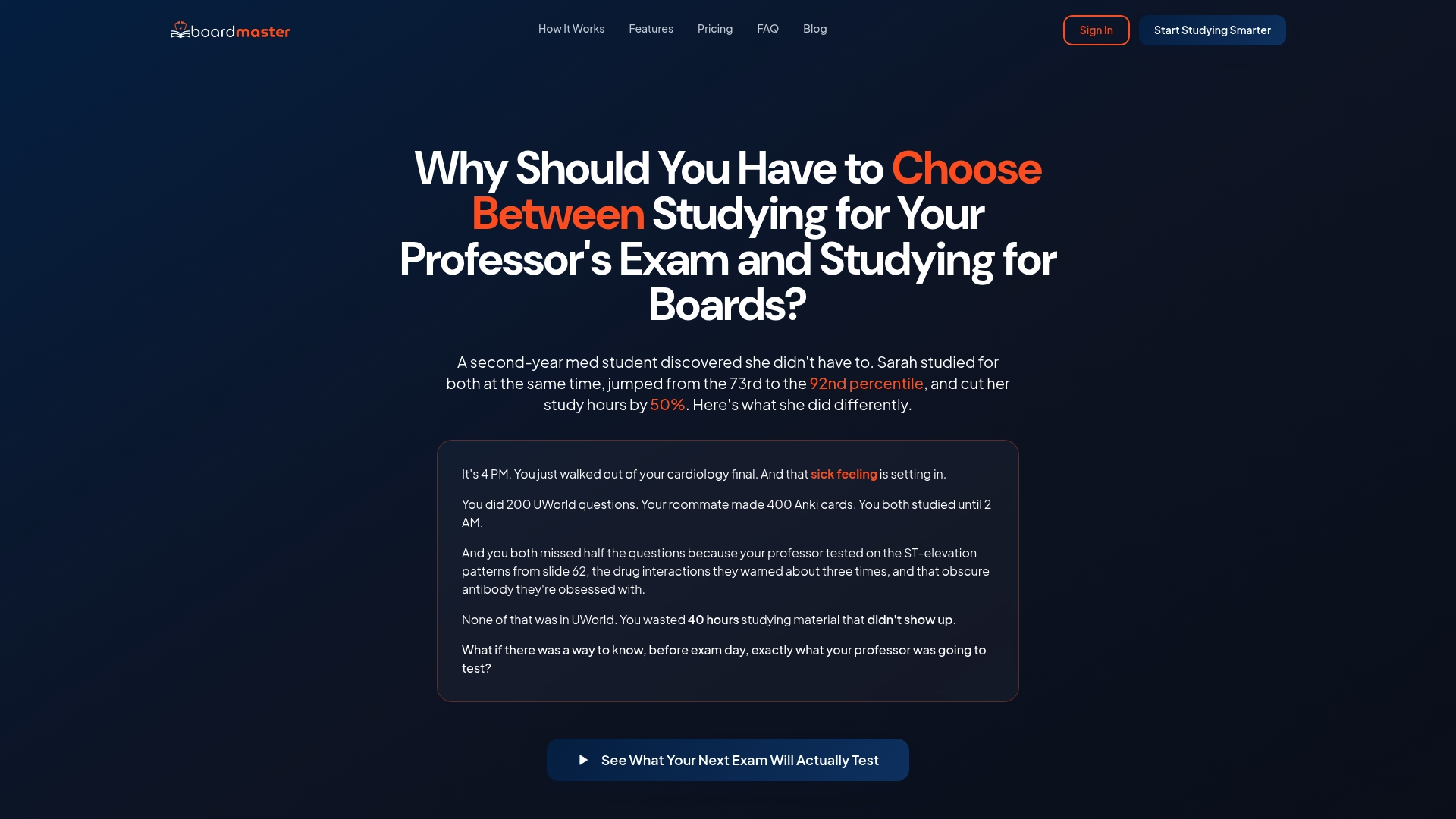
The proof point that gets cited most is a student named Sarah, who moved from the 73rd to the 92nd percentile while cutting her study hours roughly in half using BoardMaster's targeted questions built from her own lecture material.
A study podcast built from your own lecture notes isn't just convenient audio. When the same notes drive both the episode and the practice questions behind it, review and testing stay pointed at the same high-yield material instead of drifting apart.
If you want to see the study-podcast feature and question generator in action, the demo shows both pieces working from a single upload.
The Real Bottleneck Isn't Generation Speed
Everyone fixates on how fast AI can turn notes into audio, and that's the wrong thing to obsess over. Two to five minutes is already fast enough for any realistic study routine. The actual bottleneck is whether anyone bothers to check the script before rendering it.
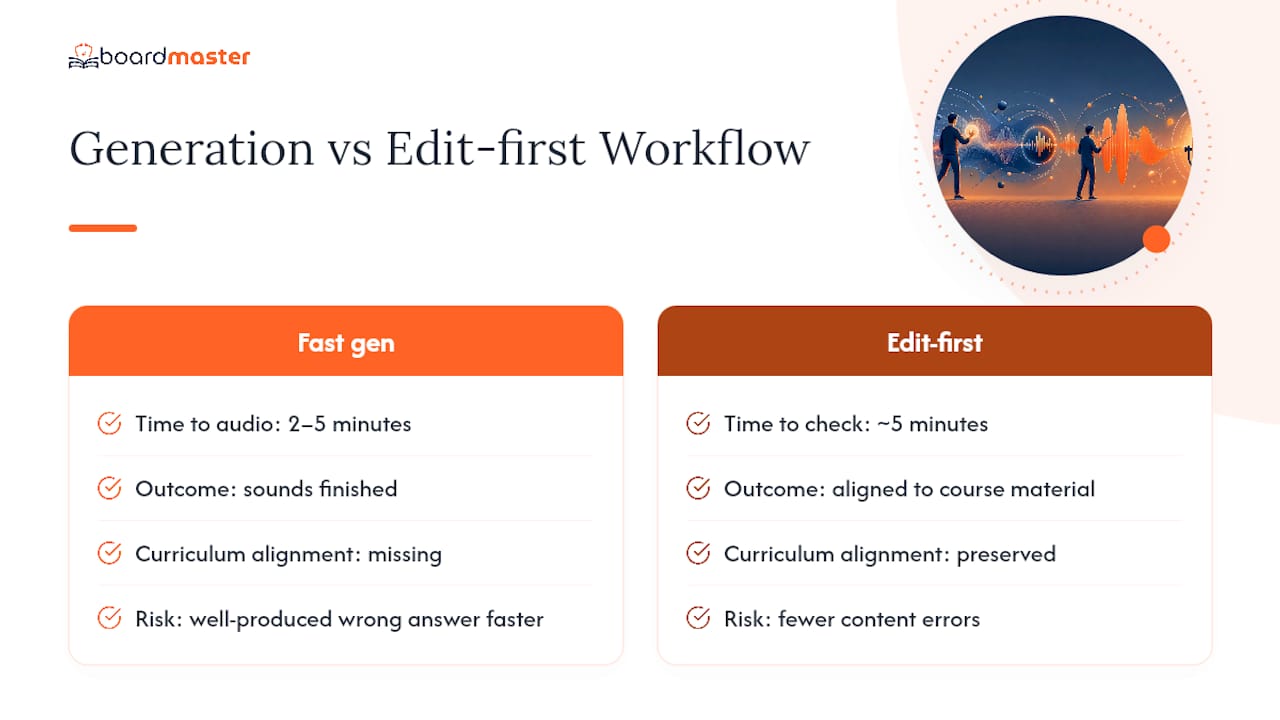
Most people treat AI-generated content as a finished product because it sounds finished. That's the mistake. An AI drafting your lecture into a podcast script doesn't know that your professor spent fifteen minutes on one enzyme pathway and skipped three others entirely. It treats everything with equal weight unless you tell it otherwise. The single highest-leverage thing a student can do is spend five minutes editing that draft before it becomes audio: fix a term, reorder a section, drop in a quiz question where it matters.
Curriculum alignment is the piece generic tools miss entirely, and it's the piece that actually determines whether a study podcast helps you or just entertains you on a commute. If you're choosing between raw generation speed and a workflow that ties the audio back to your actual course material, prioritize the second every time. Speed without accuracy just gets you a well-produced wrong answer faster.
— Dr. Ahmed Abuzoor
Turn Your Lecture Notes Into a Podcast With BoardMaster
BoardMaster is the study-first alternative to generic AI podcast tools: your lecture notes generate both the audio episode and the practice questions from the same upload, so review time and exam prep point at the same material instead of pulling in two directions. If you've read this far because you want a podcast that actually reflects what your professor tested last semester, not a generic summary of the topic, that alignment is the difference.
The platform fits students who are already spending hours rereading lecture slides and want that time converted into something they can listen to during a commute or a gym session, backed by the same question bank they'll use to drill for exams. Upload a set of lecture notes, generate a short recap episode, and pair it with a batch of tailored practice questions pulled from the same material. Start with the AI question generator demo to see how a single upload turns into both a study podcast and board-style questions in one pass.
Sources
FAQ
Can I turn my notes into a podcast?
Yes. Paste or upload notes into an AI podcast tool, select a format and voice setup, then generate the episode, typically in 2 to 5 minutes.
How can I convert text into a podcast?
Most platforms accept plain text, PDFs, or DOCX files directly, then use a pedagogical format like recap or Q&A to restructure the text into a spoken script before rendering audio.
How can I turn my notes into audio without losing accuracy?
Preview the AI-drafted script before rendering, and edit in course-specific terms, correct dates, and quick quiz questions. This editing step is what keeps the final audio aligned with what you're actually being tested on.
How much does a podcast with 50,000 listeners make?
Earnings depend heavily on ad rates, niche, and sponsorship deals, and no single figure applies across podcasts, so it varies too widely to state a reliable number. For study podcasts built for personal or classroom use, monetization typically isn't the goal.
Does BoardMaster generate study podcasts from lecture notes?
Yes. BoardMaster converts uploaded lecture notes into study podcasts and pairs them with tailored practice questions built from the same material, keeping audio review and exam prep aligned to your actual course content.