
TL;DR:
- AI question generators can produce practice questions from lecture materials in minutes, tailored to what students will be tested on. BoardMaster specifically creates USMLE and class-exam questions aligned with professors' emphasis, supported by a physician-written question bank. Users should review generated questions thoroughly and ensure data security to maintain academic integrity.
You can generate usable practice questions from uploaded lecture notes, slides, PDFs, and videos in under three minutes using AI. For medical students specifically, BoardMaster is the recommended tool: it converts your actual lecture materials into USMLE-style and class-exam questions aligned to what your professor emphasized, not what a generic bank assumes you need. The free tier lets you test it immediately, no credit card required.
Key reasons medical students and instructors choose AI question generation:
- Cuts passive re-reading time by focusing study on active recall
- Produces exam-like questions from the exact content your professor taught
- Generates questions in formats that match board exams (MCQ, clinical vignettes, true/false)
- Scales from a single lecture to a full course in one session
BoardMaster backs its AI output with a 5,000+ physician-written question bank so you always have a quality baseline alongside your generated items.
Table of Contents
- How do AI tools generate questions from your course material?
- Why BoardMaster stands out for medical students and instructors
- What question types can you generate, and how do you customize them?
- How students and educators actually use AI-generated questions
- Privacy, data security, and academic integrity
- What happened when Sarah used BoardMaster
- Key Takeaways
- Why lecture-aligned questions change how students actually learn
- BoardMaster's free tier: what you get and how to start
- Useful sources
- FAQ
How do AI tools generate questions from your course material?
The pipeline is simpler than most students expect. Here is what happens from upload to exportable quiz:
- Export or share. Download as PDF or CSV, push to a learning management system, or deliver via a tool like Google Forms, which supports answer keys, media embedding, and automated grading for objective items.
For a single chapter or lecture, the full cycle from upload to reviewed quiz typically takes five to ten minutes. Batching multiple chapters at once is worth doing: upload three or four lectures together and generate a cumulative question set before a block exam.
Why BoardMaster stands out for medical students and instructors
Most AI question generators are built for general education. BoardMaster is built for the specific problem medical students face: studying material that does not show up on the exam because it came from a generic bank, not from what was actually taught.
BoardMaster's AI question generator reads your uploaded lecture notes and produces USMLE-style and COMLEX-style questions that reflect your professor's emphasis, not a standardized average. That distinction matters practically: a question about the mechanism your professor spent twenty minutes on is far more likely to appear on your class exam than a question pulled from a bank built for a different school's curriculum.
Here is how BoardMaster maps to the dimensions that matter most when evaluating any question-generation tool:
- Supported inputs: — PDF, PPT, DOCX, TXT, images, YouTube links, and handwritten note scans
The physician-written question bank gives you a safety net. When your uploaded notes are thin on a topic, you can pull from 5,000+ board-style questions written by physicians rather than relying entirely on AI output.
Pro Tip: Upload your professor's learning objectives as a separate text block alongside your lecture slides. BoardMaster will weight question generation toward those objectives, which is exactly what you want before a class exam.
What question types can you generate, and how do you customize them?
The range of formats available covers most assessment needs:
- USMLE-style clinical vignettes: a patient scenario followed by a lead-in question and four to five answer choices; the format that bridges class-exam prep and board prep into a single workflow
Customization goes beyond format. You can set difficulty by Bloom's Taxonomy level, from recall (Remember) up through clinical reasoning (Analyze, Evaluate). You can specify the number of distractors, whether explanations appear immediately or after submission, and whether the AI should focus on a particular topic within a larger document.
Here is what the transformation from lecture content to a clinical vignette looks like in practice:
Lecture line: "Beta-blockers competitively inhibit catecholamines at beta-adrenergic receptors, reducing heart rate and myocardial contractility."
Generated USMLE-style MCQ: A 58-year-old man with hypertension and a recent MI is started on metoprolol. Which of the following best explains the mechanism by which this drug reduces his heart rate? (A) Blockade of alpha-1 receptors in vascular smooth muscle (B) Competitive inhibition of catecholamines at beta-adrenergic receptors (C) Direct inhibition of the sinoatrial node calcium channels (D) Activation of muscarinic receptors in the AV node
Pro Tip: When prompting the AI for distractors, ask it to generate "plausible but mechanistically incorrect" options and include a one-sentence rationale for why each wrong answer is wrong. That rationale doubles as a teaching tool.
For AP and IB students applying similar techniques to their own coursework, a practical exam-style question workflow can help you map question formats to learning objectives before you generate.
How students and educators actually use AI-generated questions
Student self-study workflow
- Upload one lecture or chapter after class.
- Generate 15–20 MCQs and review them immediately while the material is fresh.
- Flag questions you answered incorrectly and convert them to spaced-repetition flashcards.
- Run a timed mock exam from the full question set before the block exam.
Educator assessment workflow
- Upload the week's lecture slides after teaching.
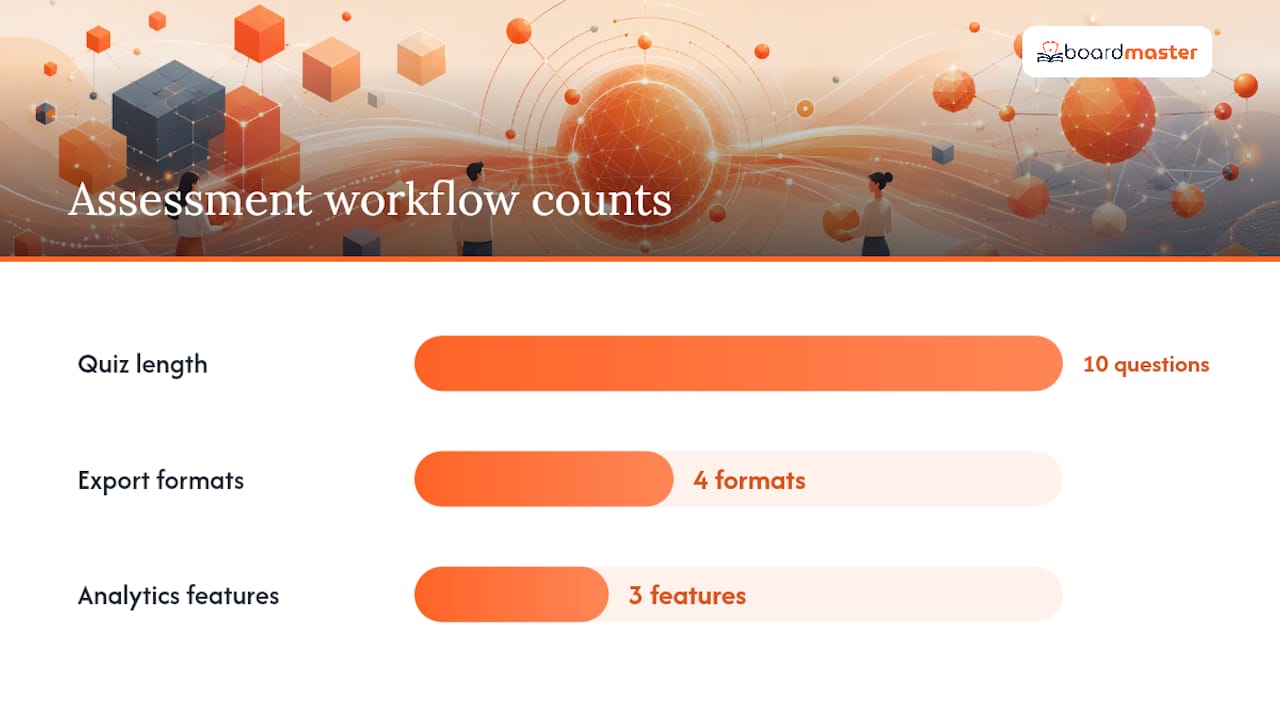
- Generate a 10-question checkpoint quiz targeting the session's learning objectives.
- Export to CSV or PDF, or deliver via Google Forms with automated grading and an answer key.
- Review item analytics after students complete the quiz to identify concepts that need re-teaching.
- Save strong questions to a reusable item bank for future semesters.
Export options typically include PDF download, CSV for LMS import, shareable links, and direct integration with platforms that accept QTI-format files. Analytics features vary by tool: BoardMaster tracks individual progress, flags weak topic areas, and supports spaced-repetition scheduling so students return to difficult material at the right interval.
For educators building professor-specific question banks, the item bank approach pays off over time: each semester's generated questions become a curated pool that improves with editing.
Privacy, data security, and academic integrity
Before you upload course materials to any AI tool, run through this checklist:
- Data retention: does the vendor delete your uploaded files after processing, or store them? Request the retention policy in writing.
- Encryption: confirm data is encrypted in transit (TLS) and at rest.
- FERPA compliance: for US educators handling student data, the vendor must sign a FERPA-compliant data processing agreement before you upload any student-identifiable information.
- Opt-out from training: verify whether your uploads are used to train the vendor's models and whether you can opt out.
- Anonymization: if you upload student work, strip names and IDs before uploading.
For academic integrity, follow these practices before using AI-generated questions in graded assessments:
- Review every question manually before it appears on an exam.
- Randomize question order and answer choices for each student.
- Build a question bank larger than the exam itself and sample from it, so no two students see the identical set.
- Avoid using AI-generated questions without review in high-stakes, summative exams where a single flawed item could affect a student's grade significantly.
AI question generators are tools for drafting, not for publishing without review. The human check is the step that makes the output trustworthy.
What happened when Sarah used BoardMaster
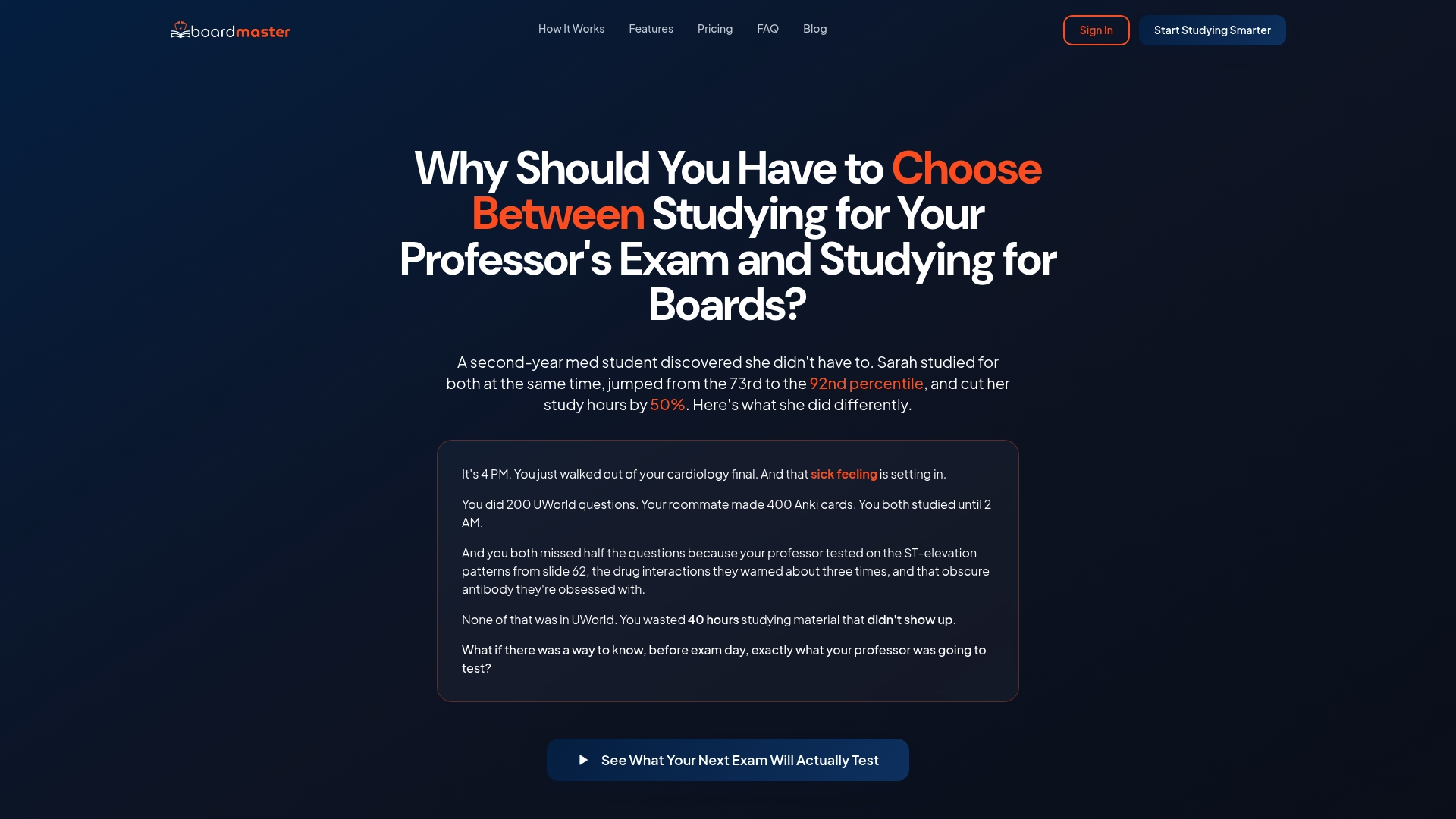
Sarah was a second-year medical student sitting at the 73rd percentile on her practice boards. She switched from a generic question bank to BoardMaster, uploading her professor's lecture slides and generating targeted USMLE-style questions from each session's content.
Sarah notably improved her practice board performance and reduced study hours while focusing on questions that matched what her professor actually tested.
The mechanism behind that result is straightforward: when practice questions come from the same material the exam draws from, retrieval practice works as intended. Generic banks introduce noise by testing content your course never covered.
A few editorial notes before you treat this as a guarantee:
- AI output reflects the quality of what you upload. Thin or disorganized notes produce thinner questions.
- Review generated questions against your syllabus before treating them as exam-representative.
- The percentile improvement reflects one student's experience; individual results depend on baseline preparation, study consistency, and course structure.
For the full walkthrough of how BoardMaster generates questions from lecture content, the AI question generator demo shows the process from upload to exportable quiz.
Key Takeaways
AI-generated practice questions from your own lecture materials outperform generic question banks because they test what was actually taught, not a standardized average.
| Point | Details |
|---|---|
| Upload almost anything | PDFs, PPTs, images, YouTube links, and handwritten scans all work; clean headings improve output quality. |
| Questions ready in minutes | From upload to a reviewable question set typically takes five to ten minutes for a single lecture. |
| Always review before grading | AI output is a first draft; manual review and question randomization are required before graded use. |
| FERPA and data security | Confirm data retention, encryption, and FERPA compliance with any vendor before uploading student materials. |
| BoardMaster for medical students | BoardMaster generates USMLE-style questions from your professor's lectures and backs them with 5,000+ physician-written board questions. |
Why lecture-aligned questions change how students actually learn
The conventional advice in medical education is to grind through a large question bank and trust that volume will cover the gaps. That advice is not wrong exactly, but it misses something most students only discover after a disappointing exam: the gap between what a generic bank tests and what your professor actually emphasizes can be wide enough to cost you a letter grade.
Retrieval practice is one of the most well-supported learning strategies in cognitive science. The problem is that retrieval practice only works when you are retrieving the right material. Practicing questions on renal physiology concepts your professor skipped entirely does not prepare you for the exam that weighted cardiac pharmacology at 40%.
What lecture-aligned question generation does is close that gap by design. The AI reads what your professor taught and generates questions from that content. You practice what you will be tested on. The board-prep benefit is real too: USMLE-style vignettes built from your lecture material train clinical reasoning while keeping you anchored to your course.
The criticism worth taking seriously is that AI-generated questions can reflect the limitations of your notes. If your notes are incomplete, the questions will be too. The answer is not to abandon the approach but to use it alongside the physician-written question bank that tools like BoardMaster provide, so you have a quality floor even when your source material is thin.
BoardMaster's free tier: what you get and how to start
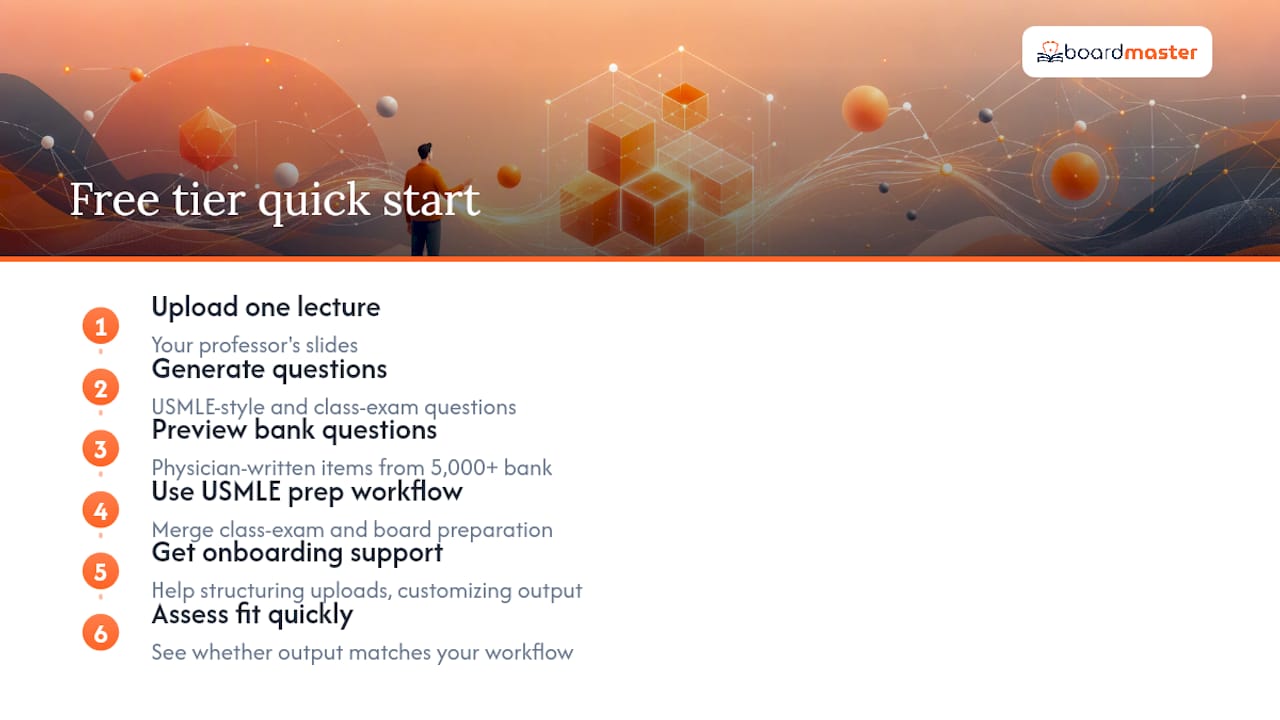
Medical students who want to test lecture-aligned question generation without a subscription can start with BoardMaster's free tier today. Upload one lecture, generate a set of USMLE-style and class-exam questions, and preview physician-written board questions from the 5,000+ item question bank.
The free tier is designed to show you exactly what the paid experience looks like on your actual material, not a demo dataset. You upload your professor's slides, the AI generates questions, and you see whether the output matches what you expect on your next exam.
For students preparing for Step 1 or Step 2, the USMLE prep workflow on BoardMaster merges class-exam preparation and board preparation into one session. Support is available during onboarding if you need help structuring your uploads or customizing question output for a specific course block.
Start with one lecture. See what the questions look like. That is the fastest way to know whether it fits your study workflow.
Useful sources
- Create a quiz with Google Forms - Google Workspace Learning Center
- AI-Generated Questions from Your Lectures - BoardMaster Demo
- 5,000+ Physician-Written Board Questions - BoardMaster Demo
- Tailored USMLE Question Generation Explained for Med Students | BoardMaster Blog
Check each vendor's privacy documentation before uploading student-identifiable materials to any AI platform.
FAQ
How long does it take to generate questions from a lecture?
Most AI tools, including BoardMaster, produce a reviewable question set from a single uploaded lecture in under five minutes. Longer documents or video transcripts may take slightly more time.
What file formats can I upload to generate practice questions?
Common supported formats include PDF, PowerPoint, Word documents, plain text, images (JPG/PNG), and YouTube video links. Handwritten notes work when uploaded as clear photos with good contrast.
Are AI-generated questions accurate enough for graded exams?
AI output is a strong first draft but requires human review before graded use. Verify each question against your course material, randomize answer choices, and build a question bank larger than the exam itself to reduce exposure to any single flawed item.
How does BoardMaster differ from a generic question bank?
BoardMaster generates questions directly from your uploaded lecture notes, so the content reflects what your professor taught and emphasized. A generic bank tests a standardized curriculum that may not match your course. BoardMaster also includes 5,000+ physician-written board questions as a supplement.
Can educators use AI question generators for formal classroom assessments?
Yes, with the right workflow. Generate questions from your lecture materials, review and edit each item, export to PDF or CSV, and deliver via your LMS or Google Forms. Confirm FERPA compliance with the vendor before uploading any student data.