
If you need to retain thousands of facts over months or years, an SRS-first tool wins. If you need to make a study set fast, share it with classmates, or cram for Friday's quiz, a convenience-first app wins. Most students who compare Anki vs Quizlet are really asking which failure mode they can live with: forgetting material in six weeks, or spending an hour building cards before you've reviewed a single one. A middle path exists, and it's worth understanding before you commit to either extreme.
TL;DR:
- Anki's long-term retention advantage comes from its individual spaced-repetition scheduling, which is more effective than Quizlet's session-based modes for content over several months.
- Students expecting to memorize more than 500 facts or retain knowledge beyond four weeks should prioritize Anki to avoid forgetting material, while lighter use favors Quizlet for quick review and social learning.
- Offline functionality favors Anki, as it fully supports offline access on desktop and Android, whereas Quizlet relies more on internet connectivity for higher-end study modes.
- Manual card creation in Anki can take hours, but AI tools like BoardMaster automate content generation from lecture notes, significantly reducing setup time without sacrificing the spaced-repetition benefits.
- For long-term success, combining quick discovery in Quizlet with subsequent import into Anki or similar SRS tools offers a balanced approach to rapid learning and durable retention.
Table of Contents
- Anki vs Quizlet: A Quick Side-by-Side Snapshot
- What Really Separates These Two Study Systems
- How to Decide Between Anki and Quizlet Right Now
- A Hybrid Workflow: Discover Fast, Then Lock In Retention
- Why the Anki-or-Quizlet Debate Misses the Real Problem
- Try the BoardMaster Demo Before You Build Another Deck by Hand
- Sources
- FAQ
Anki vs Quizlet: A Quick Side-by-Side Snapshot
The two tools solve different problems, and the gap shows up immediately once you look past the surface similarity of "cards with questions on them."
- Algorithm and scheduling: Anki runs a spaced-repetition algorithm that adjusts intervals per card based on your recall; Quizlet uses session-based modes (Learn, Match, Test) that adapt within a study session but don't track long-term forgetting curves the same way.
- Onboarding: Quizlet is usable within minutes. Anki has a real learning curve, closer to setting up a new piece of software than opening an app.
- Customization: Anki supports cloze deletions, image occlusion, and LaTeX rendering through add-ons. Quizlet's customization is limited to its built-in card and diagram templates.
- Content library: Quizlet's shared-set library is enormous, reaching 50 million monthly users at its reported peak. Anki's shared decks are smaller in number but often built by specific exam communities, like medical students prepping for boards.
- Offline access: Anki is fully offline-capable on desktop and Android, with an iOS app. Quizlet's offline mode is more limited and tied to its paid tier.
The trade-off in one line: Anki optimizes for retention over months and years; Quizlet optimizes for speed and social studying over days and weeks.
What Really Separates These Two Study Systems
The biggest difference isn't the interface. It's what happens to a fact after you've seen it once.
Spaced repetition versus session-adaptive review. Anki schedules each card individually based on how hard you found it to recall, pushing easy cards weeks or months out and easy failures back within a day or two. Research on students preparing for demanding entrance exams found that spaced repetition produced measurably better long-term retention than single-session cramming. Quizlet's modes adapt within one sitting, which is genuinely useful the night before a quiz, but they don't carry that memory forward the way a true SRS scheduler does. Some newer scheduling algorithms, including FSRS variants now built into modern Anki versions, reportedly improve on older SM-2 style scheduling by predicting recall more accurately across large review datasets, according to independent SRS benchmark comparisons.
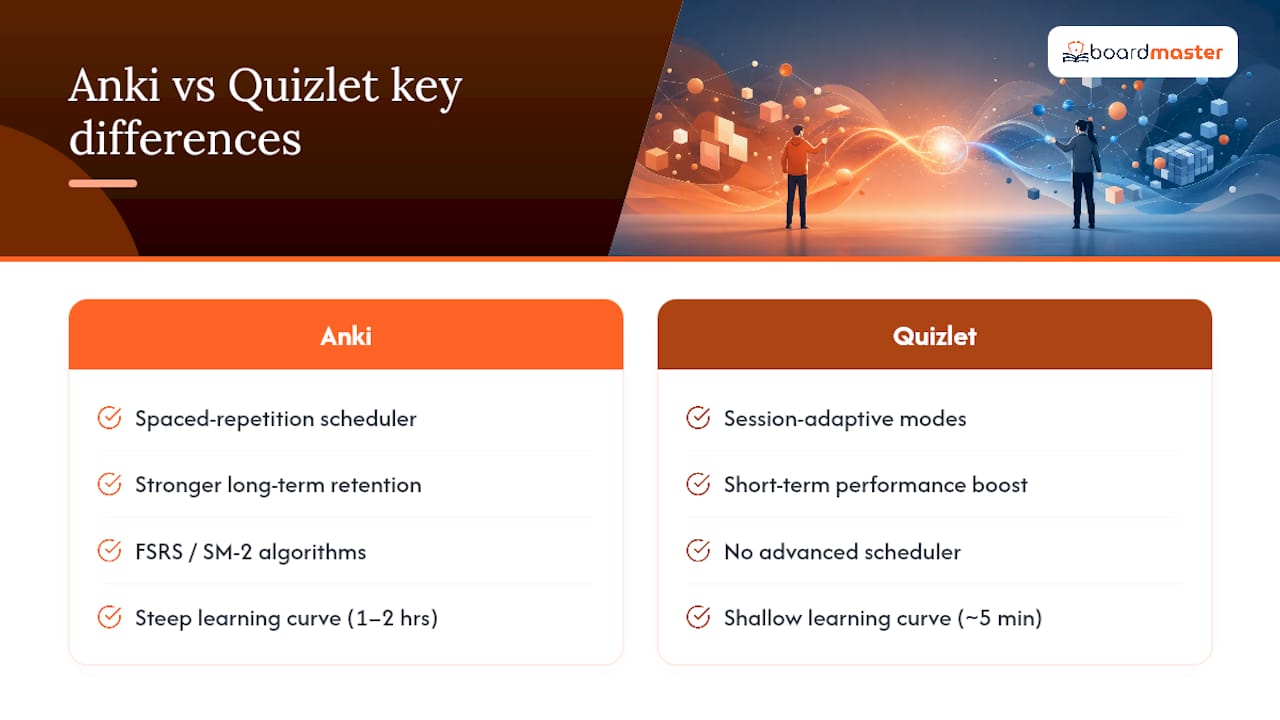
The learning curve is real, and it's not small. Quizlet gets you making cards in under five minutes. Anki takes an hour or two to feel comfortable with, longer if you start customizing note types or installing add-ons. That upfront cost is the single biggest reason students quit Anki before it pays off.
Card models diverge sharply. Quizlet treats each card as a standalone question and answer. Anki separates "notes" from "cards," so one note with a cloze deletion can generate several review cards automatically. Anki also supports image occlusion for anatomy diagrams and LaTeX for chemistry or physics notation, both common needs for pre-med and STEM students. Quizlet has no equivalent.
Shared libraries help and hurt in equal measure. Quizlet's scale means you'll almost always find a set for your exact textbook chapter. The catch: quality varies wildly, and a set built by another student can contain outright errors. Anki's shared decks, distributed through AnkiWeb, tend to be smaller in number but curated by tighter communities, like the well-known med school mega-decks that circulate through pre-clinical programs.
Pricing plays out differently over a full degree. Quizlet's free tier covers basic study, but several core modes moved behind a subscription paywall in recent years, so a four-year student could pay a recurring fee the entire time. Anki is free on desktop and Android indefinitely; the one-time iOS fee funds continued development of an open-source project rather than acting as a subscription. Over four years, that structure usually costs less than a recurring plan, even accounting for the iOS purchase.
Offline reliability affects your actual daily habit. Anki syncs cleanly across desktop, Android, and iOS, and every platform functions fully offline once cards are downloaded. Quizlet needs a connection more often, especially for its higher-end study modes.
Pro Tip: Before committing to either tool for a semester, export a small deck from wherever you're studying now and reimport it elsewhere. If the formatting breaks, you'll want to know that in week one, not week twelve.
How to Decide Between Anki and Quizlet Right Now
Run through this quickly before you invest hours building a deck in the wrong tool.
- Count your material. If you're facing more than 500 discrete facts, or you need to retain content for longer than four weeks, lean SRS-style. Below that threshold, a convenience tool is often faster overall.
- Ask about collaboration. Studying alone for boards or a language exam favors Anki's individual scheduling. Studying with a group for a weekly quiz favors Quizlet's shared and game-based modes.
- Check your devices. If you need dependable offline access on a phone during commutes or clinical rotations, Anki's offline parity matters more than it sounds.
- Be honest about your tolerance for setup. If you know you won't sit through an hour of software configuration, don't pretend otherwise. A convenience tool you'll actually use beats a powerful one you abandon in week two.
- Watch for red flags. Essential study modes locked behind a paywall, no way to export your own cards, or shared decks with no visible source or edit history are all signs to look elsewhere before you build a semester's worth of material on shaky ground.
Test both in real time before deciding. Spend 15 minutes building a small deck of 20 cards in Anki, and another 15 in Quizlet, using the same source material. You'll feel the difference in creation speed and review style faster than any comparison article can describe it.
A Hybrid Workflow: Discover Fast, Then Lock In Retention
You don't have to pick one system and live with its weaknesses. Many students discover cards quickly in a convenience tool, then move the good ones into an SRS workflow for long-term retention.
- Discover: Search for an existing shared set that matches your course material.
- Clean: Delete duplicates, fix errors, and cut anything irrelevant to your actual syllabus.
- Export: Pull the cleaned set out in a plain text or CSV format.
- Import: Bring it into your SRS tool, mapping fields carefully. Mismatched fields are the most common import failure, and they usually show up as blank answers or garbled formatting.
- Schedule: Let the algorithm take over review timing from there.
A realistic first week: roughly 30 minutes gathering and cleaning cards, then 10 to 15 minutes daily on reviews as the schedule ramps up. Watch for duplicate media files when importing images, since orphaned images are a common cause of bloated deck sizes. If you're using AI-generated cards to skip the manual creation step entirely, an approach BoardMaster's flashcard generator is built around, spend a few minutes verifying accuracy against your actual lecture slides before trusting them for board-level review. For more on cutting the redundant-card problem down, see this breakdown of streamlining flashcard review.
Why the Anki-or-Quizlet Debate Misses the Real Problem
The Anki vs Quizlet argument treats this as a binary choice, and that framing has cost students more wasted hours than either tool's learning curve ever has. The real bottleneck isn't the algorithm. It's the hour or two of manual card creation that stands between a student and their first review session.
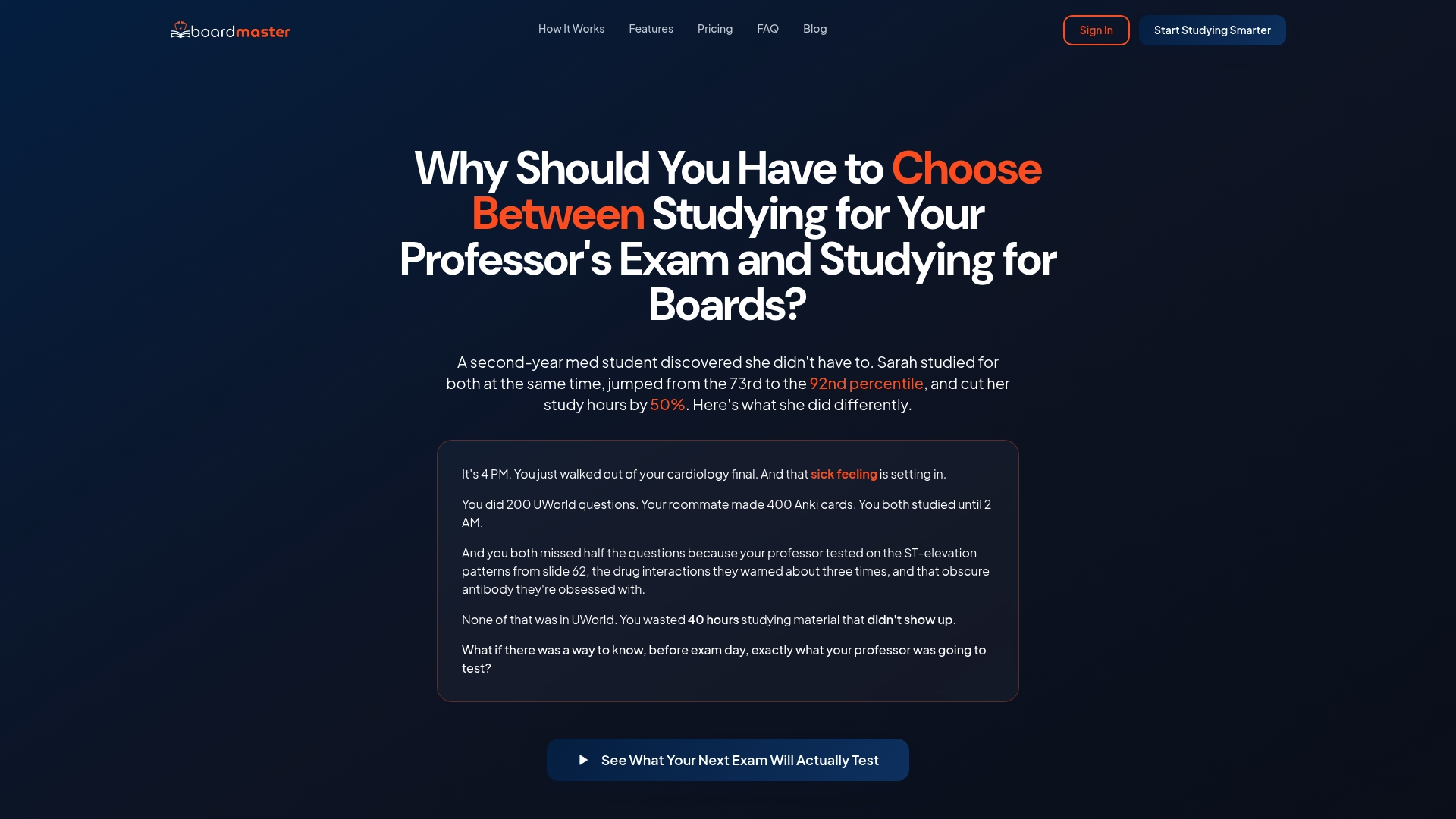
Anki's scheduling is genuinely superior for long-horizon retention, and the research on spaced repetition in exam prep backs that up clearly. But I've watched too many capable students burn out on manual deck-building before they ever get to benefit from that scheduling. That's the gap BoardMaster was built to close: it generates flashcards directly from uploaded lecture notes, complete with medical images where relevant, and pairs them with spaced-repetition review so the retention benefit shows up without the setup tax.

One proof point worth citing: a student named Sarah used BoardMaster's targeted practice questions, generated from her own lecture material rather than a generic bank, to move from the 73rd to the 92nd percentile while cutting her study time roughly in half. That's not a claim about the algorithm alone. It's what happens when the scheduling advantage of spaced repetition gets combined with content that's already aligned to what a specific professor actually emphasized, instead of a generic question pool. BoardMaster's approach to reducing study burnout rests on that same principle: less time spent guessing what to study, more time spent reviewing material you already know matters.
The honest takeaway is that neither Anki nor Quizlet is wrong. They're built for different jobs. But if your job is passing board exams or retaining a full semester of dense material, the tool that removes setup friction while keeping the science of spaced repetition intact deserves a serious look before you spend another weekend hand-building cards from your notes.
— Dr. Ahmed Abuzoor
Try the BoardMaster Demo Before You Build Another Deck by Hand
If you've read this far weighing Anki against Quizlet, you already know the real cost isn't the app, it's the hours spent turning lecture notes into usable cards. BoardMaster skips that step by generating flashcards and practice questions directly from what you upload, so you get spaced-repetition review without the manual buildup either tool requires.
A quick way to test it:
- Upload a set of lecture notes or slides.
- Let BoardMaster generate flashcards and USMLE-style questions automatically.
- Run a spaced-repetition review session on the generated deck the same day.
BoardMaster runs on a subscription model with a free tier for limited use, so you can test the workflow on your own material before deciding if it fits your study routine. See the full demo of the AI question generator to watch the upload-to-flashcard process before you commit an evening to building another deck the old way.
Sources
- Effectiveness of spaced repetition in improving learning among students preparing for medical school entrance examinations
- Quizlet hits 50M monthly users
FAQ
Why do medical students often use Anki instead of Quizlet?
Medical students face thousands of facts they need to retain for years, not weeks, and Anki's spaced-repetition scheduling is built specifically for that kind of long-horizon retention. Quizlet's session-based modes are better suited to shorter-term review before a specific quiz or exam.
Is Quizlet Plus or Anki better for long-term studying?
For long-term retention, Anki's algorithmic scheduling generally outperforms Quizlet Plus, since it tracks individual card difficulty over months rather than adapting within a single study session. Quizlet Plus adds useful features like offline access and ad removal, but it doesn't change the underlying study model.
Do most medical students use Anki?
Anki is widely used across pre-clinical and board-exam preparation because of its retention-focused scheduling and the large, community-built shared decks specific to medical curricula. Not every student uses it, since the setup time turns some students toward faster alternatives, including AI-generated tools like BoardMaster that automate card creation while preserving spaced-repetition review.
Why does the Anki iOS app cost money?
Anki is free and open-source on desktop and Android, but the one-time iOS purchase) helps fund ongoing development of the project rather than functioning as a subscription. Over a multi-year study timeline, that one-time cost typically works out cheaper than a recurring subscription model.
What's a good alternative if I want Anki's benefits without the setup time?
Tools that generate AI flashcards from your own lecture material, such as BoardMaster, combine spaced-repetition review with automated card creation, cutting out the manual deck-building step entirely. For students exploring other options in this space, independent comparisons of Anki alternatives and AI-powered Quizlet alternatives are worth a look as well.